
Cashback platforms manage financial flows related to online purchase refunds. An inaccessible account on Widilo, even temporarily, means unusable promo codes and potentially blocked pending cashback. The reasons for a login refusal often go beyond just a forgotten password: automatic security blocking, desynchronization between the mobile app and the web version, or a spike in server load during promotional operations.
Widilo account blocking after failed attempts: the security mechanism
The Widilo protection system locks an account after several unsuccessful login attempts, even if the entered credentials are correct during the last try. This automatic blocking does not always lift with a simple password reset. The security lock and the recovery procedure operate independently.
This behavior is part of a broader trend. Since the tightening of European rules on securing accounts related to money (PSD2, NIS2), cashback platforms have implemented stricter authentication policies. A denied connection may result from a security obligation, not a bug. The detection of unusual behavior (logging in from a new device, changing IP address, browsing via VPN) is enough to trigger a preventive lock.
Specifically, if the account remains blocked after resetting the password, the most reliable approach is to contact customer service via the form accessible from the personal space, selecting the topic “My account.” A detailed guide allows you to log into your Widilo account on Infiniti Geek by following each step of the unlocking process.
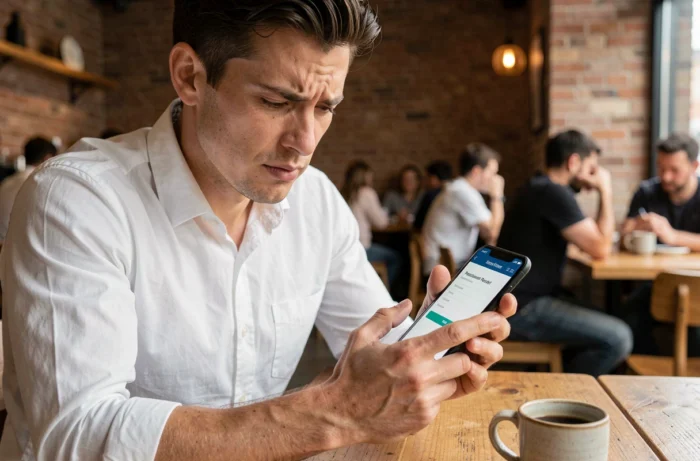
Widilo connection errors related to the browser and cookies
Before suspecting an account block, the source of the problem is often found on the browser side. Expired or corrupted cookies prevent authentication from functioning, and ad-blocking extensions interfere with the Widilo login process.
Clearing the browser’s cache and cookies resolves most silent errors. On Chrome, Firefox, or Safari, this action takes less than a minute. The trap: a simple page refresh (F5) is not enough, as session data remains in memory.
Points to systematically check:
- Delete cookies specific to the domain widilo.fr, not just the general browser cache
- Temporarily disable adblock or anti-tracking extensions, which may block authentication scripts
- Test the connection in private browsing mode to isolate a potential conflict with an extension or a persistent cookie
- Ensure that JavaScript is enabled, as the Widilo login form depends on it
If the connection works in private browsing but fails in normal mode, the problem comes from an extension or a corrupted cookie. Reactivate the extensions one by one to identify the one blocking the process.
Desynchronization between the Widilo app and the web version
User feedback regularly reports connection errors specific to the mobile app, while access via the browser works normally. The app and the website do not always share the same authentication session.
After a password change on the site, the mobile app may retain the old session token in memory. The result: an error message without a clear explanation, prompting the user to multiply attempts and ultimately triggering the automatic blocking described above.
Force reconnection on the mobile app
The solution involves a complete manual logout from the app, followed by clearing the app’s cache in the phone settings. On Android, go to the Widilo app settings and select “Clear cache” then “Delete data.” On iOS, deleting and then reinstalling the app has the same effect.
Reconnecting the app after clearing its local data forces the creation of a new session token, aligned with the current password. This action avoids the error loop that leads to locking.

Widilo server outages and promotional traffic spikes
Some connection issues depend neither on the account nor the browser. Reports collected on monitoring platforms like TotalBug show spikes in unavailability correlated with major promotional operations (boosted cashback, sales periods, partner events).
When multiple users simultaneously report connection errors, the problem is likely on the server side. Before resetting a password or clearing the cache, checking the service status helps avoid unnecessary actions that complicate the situation.
How to check if Widilo is down
- Check recent reports on TotalBug (totalbug.com/widilo) to spot a spike in incidents
- Check Widilo’s social media, where service interruptions are sometimes reported
- Test access from another network (mobile data instead of Wi-Fi, or vice versa) to rule out a local issue
A denied connection during a traffic spike resolves by waiting, usually a few tens of minutes. Any repeated attempts during a server overload increase the risk of automatic account blocking.
Secure access to your Widilo cashback account in the long term
Recurring connection issues often indicate insufficient account hygiene. A password reused across multiple sites exposes the account to fraudulent login attempts, triggering the same automatic blocks as an input error.
Enabling two-factor authentication, when the platform offers it, significantly reduces this risk. More broadly, accounts linked to money (including cashback) deserve the same level of protection as a bank account: unique password and dedicated password manager.
Keeping the email address associated with the account up to date remains a frequently overlooked point. A verification link sent to an outdated or inaccessible email address turns a simple recovery procedure into a dead end. Periodically checking that the email address linked to the Widilo account is still active prevents this type of permanent blockage.
Connection issues with a Widilo account rarely stem from a single cause. Between automatic security mechanisms, technical conflicts on the browser side, and occasional server outages, identifying the correct source before taking action remains the most effective approach to regain access to cashback and promo codes.


